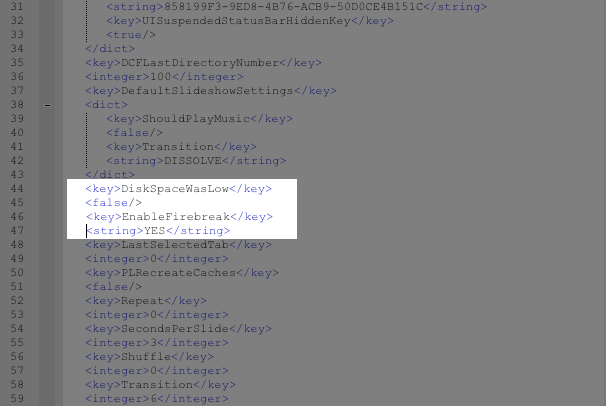
In a nutshell, you make a backup of your device with iTunes, and then use a free program called iBackupBot to edit a file in the backup you just made, adding in a line or two of code. From there you restore that backup with the modified file included, which enables the panoramic mode in the camera app.
MyGreatiPhone has the full step-by-step instructions for your perusal.
There might be a reason why this feature wasn’t enabled in the final release of iOS 5–I tested it out on my iPhone 3Gs, and while I can access the panoramic mode and begin the process of taking the picture, ,my camera app crashes and dumps me back on the home screen.
What about you guys? Anybody have any better luck with a newer iPhone?
[MyGreatiPhone via Razorianfly]
Like this? You might also enjoy…
- iOS 5 Has a Hidden Panorama Mode That Works on Jailbroken iPhones
- New Tech Lets You Look Like a Jedi While Unlocking Your Phone
- PlugBug Charges Macs and iPads With a Single Plug
Get your GeekTech on: Twitter – Facebook – RSS | Tip us off